*Lotto Bags at up to 81% off (Starting from Rs 249)*
http://amzn.to/2Fl2Ick
Sunday, 28 January 2018
Lotto Bags at up to 81% off (Starting from Rs 249)

Thursday, 18 January 2018
Aadhaar – How to link your Aadhaar to your mobile number from home
Type





For Amazon Quiz Answers
subscribe our channel. Deals Finder
Join WhatsApp Broadcast https://goo.gl/Jr75v3
Aadhaar card has now become the most discussed topic for the past few months and also has become #1 Proof of residence as the government tries to reduce the risk, frauds in every way possible and hence Aadhaar was introduced and made compulsory to link with bank accounts, PAN, Passport and more.
As instructed by the Government, it is also mandatory to provide your Aadhaar card to get a new mobile number and also to link the card to your existing mobile number. Follow the below simple steps to link your Aadhaar card to your mobile number within minutes.
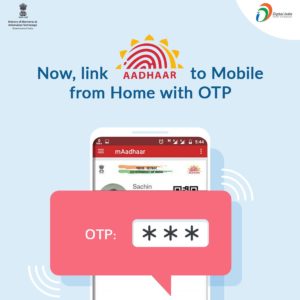
How to link your Aadhaar to your mobile number from home? :
1 . Dial 14546 from your Mobile number to start hearing the IVR
2 . Select the preferred language by pressing 1 or 2 or 3
3 . If your number is already linked, you will be notified or Follow the instructions
4 . You will be asked to enter your 12 digit Aadhar number. Enter it using the dial pad of your mobile phone and proceed
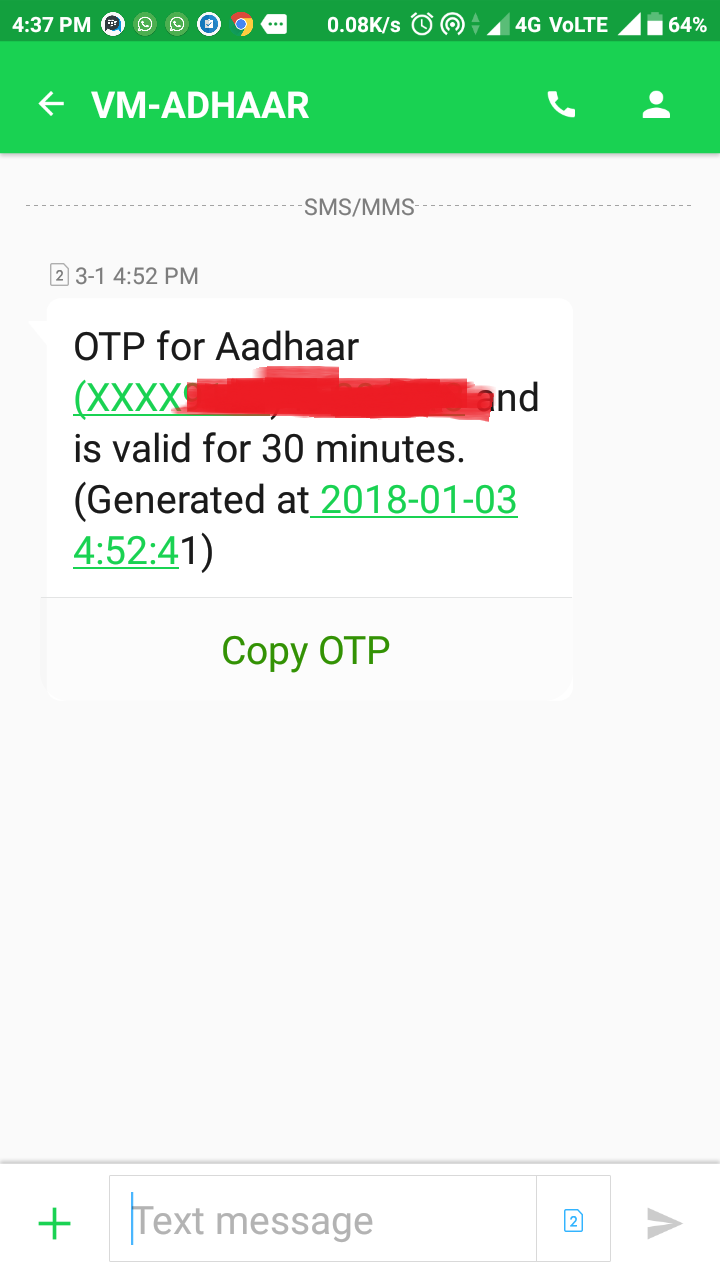
5 . Now you will receive an OTP to that particular mobile number which is valid only for 30 minutes and without disconnecting the call, enter the OTP you received
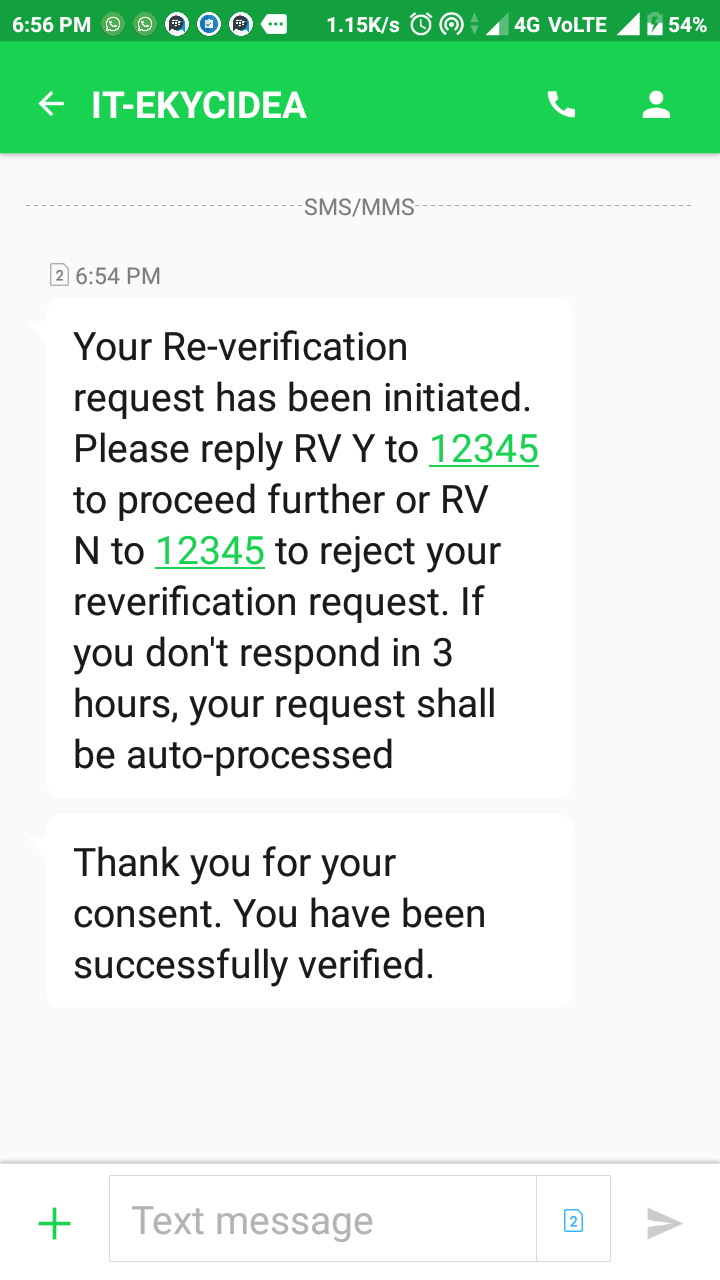
6 . Done !! Your Aadhaar and mobile number is almost linked. In 24 hours time you will receive an message to that particular mobile number to confirm.
For BSNL customers :
1 . From your BSNL number, call to the toll free number 14546
2 . Select the desired language
3 . Enter the 12-digit Aadhaar number. The IVR will repeat the number you entered, and if that is correct press 1. In case you entered a wrong number, press 2 to re-enter the number
4 . A 6 digit OTP number will be sent to that particular number. Enter the OTP without disconnecting the call.
5 . Done !! In 48 hours it will be verified.
Official Source
Other important things related to Aadhaar :
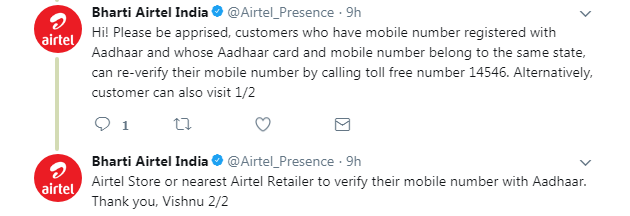
- Even though UIDAI (Aadhaar) has issued directives for generating OTP either through the service provider’s website or through the Interactive Voice Response (IVR) services to facilitate the linking, few operators like JIO, Tata Docomo are yet to implement this feature. So kindly keep dialing 14546 frequently if your a subscriber of these Operators or contact the customer care.
Here are some of the replies from the Operators regarding this :
- If you want to add/update your mobile number in your Aadhaar data, please visit your nearest Aadhaar Kendra. (Locate one from – https://appointments.uidai.gov.in/easearch.aspx)
For Amazon Quiz Answers
subscribe our channel. Deals Finder
Join WhatsApp Broadcast https://goo.gl/Jr75v3
Saturday, 13 January 2018
Aadhaar Card Misused? Check your Aadhaar Usage History
Aadhaar Card Misused? Check your Aadhaar Usage History.
Most of us use Aadhaar Card for most of the verification purpose. Sometimes, we have to submit our Aadhaar Card copy as a proof, but what if someone misuses it? Don’t worry, now you can check your Aadhaar Usage History up to 6 months. Just read this post and check the steps of the Aadhaar Usage History.

How to Check your Aadhaar Usage History?
1 . Visit Here
2. Enter your UID and Security Code shown in the image.
3. Click on Generate OTP.
4. Select the type of Authentication record you want. You can select Demographic, Biometric, OTP, Demographic & Biometric, Biometric & OTP, Demographic & OTP or All.
5. Select the date range. You can select up to 6 months.
6. Now, select number of records (Maximum allowed is 50)
7. Enter the OTP received on your registered mobile phone.
8. That’s it. Now you’ll get all the required details.
Any query regarding Aadhaar Card? Feel free to comment down below. We will reply asap.
For Amazon Quiz Answers
subscribe our channel. Deals Finder
Join WhatsApp Broadcast https://goo.gl/Jr75v3
Free Amazon Prime membership for Airtel subscribers: Here's how to claim the offer
Airtel users on Android/iOS need to download the Airtel TV app from the Google Play Store or App Store. Once downloaded, log in from the registered postpaid mobile number. Within the app, users will be presented with a banner to join Prime Videos. Clicking on the banner will redirect to a log-in screen, and users need to fill in their Amazon credentials.
Amazon Prime subscribers enjoy unlimited, free, one day, and two-day delivery which otherwise costs Rs 100 per item. Apart from free delivery, and access to unlimited streaming of video content on Prime Video, Prime subscribers will have exclusive access to deals on the e-commerce portal. Amazon also plans to launch Prime Music service in India where members will soon be able to enjoy advertisement-free and on-demand music across devices.
Here's a quick comparison of the Airtel Infinity Plans:


Vodafone, on the other hand, offers a free subscription to Netflix video streaming for a period of 12 months on its Red Postpaid plans. Netflix has a more comprehensive library of international content when compared to Amazon Prime which includes more locally-produced content.
For Amazon Quiz Answers
subscribe our channel. Deals Finder
Join WhatsApp Broadcast https://goo.gl/Jr75v3
Friday, 12 January 2018
Toyshine Train With Multi-Skill Learning Features For Kids at Rs 399 with A Pay
*Toyshine Train With Multi-Skill Learning Features For Kids at Rs 399 with A Pay*
http://amzn.to/2D2FDOY
Thursday, 4 January 2018
Aadhaar – How to get Original Aadhaar Card Anytime Anywhere?
 Someone asked for ID Verification but you forgot your Aadhaar Card at home? Don’t worry, we added a detailed info on How to get Original Aadhaar Card Anytime Anywhere? You can take print out of this too, whenever required, and the main thing is that this will be treated as your original Aadhaar Card. So, just read the detailed steps on How to get Print out of your Original Aadhaar Card Anytime Anywhere?
How to get Original Aadhaar Card Anytime Anywhere?
1. Visit Here
2. Enter your Enrolment ID/Aadhaar Number.
3. Enter your Full Name, Pin Code.
4. Now enter verification text shown in the image.
5. Now click on Get One Time Password.
6. You will get OTP on your registered Mobile Number. A Popup message will be displayed with last 4 digits of your mobile number as shown below.
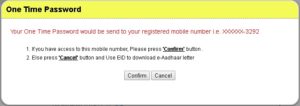
7. Click on Confirm if you have access to this mobile number else click on Cancel. If you click on Cancel, you have to enter Enrollment ID.
8. Complete the verification and click on Validate & Download.
9. A pdf file will be downloaded with a password.
How to Open Aadhaar Card pdf file with password?
1 . Open the pdf file downloaded from official website.
2. Now it will ask for the password. You have to enter the password in a specific manner.
First 4 Alphabets of your Name (with Capital Case) and after that enter your Year of Birth.
First 4 Alphabets of your Name (with Capital Case) and after that enter your Year of Birth.
For example: A person with Name: Ram Kumar with DOB 01/05/1992. He will enter RAMK1992 as the password to open the file.
3. Click OK.
4. That’s it. Your Aadhaar Card will open. Now you can take print out of this.
Some of the examples of the different cases of the password:
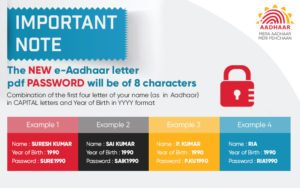
Click Here for higher resolution image.
Some Important Notes:
- Sometime OTP takes 3-5 mins, wait for OTP. Don’t generate OTP again and again.
- Don’t use any Download software like IDM, etc for downloading Aadhaar Card, as this may not download your Aadhaar Card.Just click Ctrl+Shift+N to open Incognito Tab, you 3rd party download software/accelerator won’t work, and the file will be downloaded easily.
For Amazon Quiz Answers
subscribe our channel. Deals Finder
Join WhatsApp Broadcast https://goo.gl/Jr75v3
Tuesday, 2 January 2018
Amazon Honor Quiz Answer & win Honor view 10 smartphone
Amazon Honor Quiz Answer & win Honor view 10 smartphone:
1. First of all Download amazon App from Play store:- CLICK HERE
2. You have to Login/ Sign up with your Amazon credentials
3. After that, you will redirect to the home page and you will see Amazon Honor view 10 quizbanner.
 4. Click on banner and start Amazon Honor quiz
All Answers to Amazon Honor view 10 Quiz
1. The Honor View 10 comes with a Dual-lens AI camera. What does ‘AI’ stand for in this context?
Answer:- Artificial intelligence
2. Which chipset does the Honor View 10 have?
Answer:- Kirin 970 AI chipset
3.What is the inbuilt RAM & ROM combination on the Honor View10?
Answer:-6GB + 128 GB ROM
4. Which of these is NOT a feature of the Honor View 10?
Answer:-Portable Fondue pot
5.Does the Dual Sim of the Honor View 10 support 4G Volte on both slots?
Answer:- Yes
Congrats…Coolzdeals Readers, You have successfully completed Amazon xxx Quiz.
You will get Congratulation Banner like this –

Today’s Amazon Super Value Quiz Answers (2 January 2018)
1) Shopping on Super Value Day gives you cashback on purchase of household supplies and more. What is the maximum cashback you can avail? Rs. 1200
2) Starting January 2018, Super Value Day cashback offers will run for first 3 days of every month instead of 2 days earlier. True
3) Mr. Y wanted to purchase beauty products for his wife during super value day. Will he be eligible for the cashback for any beauty products purchased on Amazon? No, selected products are eligible for cashback.
4) After the order is dispatched, how long does it take for the Super Value Day cashback to be credited to customer’s account? 72 hours
5) During Super Value Day, one can avail a cashback of 20% with a minimum purchase? 4000 Rs
5) During Super Value Days, how many products from Amazon Pantry store are eligible for Super Value Day cashback offer? All
For Amazon Quiz Answers
subscribe our channel. Deals Finder
Join WhatsApp Broadcast https://goo.gl/Jr75v3
Sunday, 31 December 2017
Happy New Year 2018 Wishes: SMS, Facebook Status & WhatsApp Messages for Couples
Messages for Couples
Happy New Year 2018: We've rounded up the perfect New Year wishes, SMSes, and WhatsApp messages that you can send to your beloved and brighten up their new year, especially if you two aren't in the same city right now
Another year done and dusted... 2017 has come to a close and it's time to embrace and look forward to an all new year. As we usher into 2018, it is time not only to make new plans for the future but also look back at the times gone by. By reminiscingabout the year gone by we can be thankful for all the blessings. And if there are any misgivings from the year gone by, they can be amended in the days to come. It is said, and rightly so, that each new year gives one 12 new chapters and 365 more chances. "Tomorrow is the first blank page of a 365 page book. Write a good one." - Brad Paisley. This quote is extremely meaningful for the new year. You can plan a list of all the things you could not achieve in 2017 and resolve to fulfill them all in 2018. That's what new year resolutions are for after all.
Stepping into the new year, one must also be thankful for all the people who are a part of life. Family and friends constitute an important part of our lives and having them by our side is a true blessings. However, apart from friends and family, someone who is a huge part of one's lives are our life partners. They are the people who stand by us through thick and thin and shower us with immense love and care.
We've rounded up the perfect New Year wishes, SMSes, and WhatsApp messages that you can send to your beloved and brighten up their new year. If they are not in the same city as you right now, these messages will come in particularly handy for new year.
Let's burst into the New Year together! Jump with both feet, holding hands - like we've done since I met you. Happy New Year to my exciting partner in crime!
As the new dawn brings new hopes and aspirations this New Year, my only dream is to be with you all my life.
I always dreamed of kissing the man I love as the New Year rings in. Thank you for making my dreams come true.

Happy New Year
I am so lucky to be your girlfriend. Your warmth and compassion show through in everything you do. Wish you a happy, hopeful and bountiful New Year to you my love.
I met love, health, peace and joy. They needed a permanent place to stay, so I gave them your address. Hope they arrive safely. Happy New Year!

Happy New Year 2018: Wishes for couples
If my wishes come true, we'll be together in 2018. I look forward to a very happy year.
My New Year gift for you - my heart wrapped with love and passion - hope you treasure it for years to come!
For Amazon Quiz Answers
subscribe our channel. Deals Finder
Join WhatsApp Broadcast https://goo.gl/Jr75v3
Wednesday, 27 December 2017
Google is hiring: Know how to apply

The US-based search engine giant, Google has invited eligible candidates for Software Engineering Internship 2018 programme.
According to reports, the last date to apply for the same is today, December 26.
Eligibility criteria:
Educational qualifications:
Google has invited candidates who are pursuing Bachelor of Technology (BTech) and Master of Technology (MTech) in Computer Science from a recognised university/institute.
Candidates in their last year of study and will graduate in 2019 can also apply.
Apart from the educational qualification, there are certain preferred qualifications for the candidates who apply for the internship. The preferred qualifications are:
- The candidate must be currently enrolled in a full time degree programme and returning to the programme after the completion of the internship
- Experience in systems software or algorithms
- Excellent implementation skills (C++, Java, Python)
- Knowledge of Unix/Linux or Windows environments and APIs
- Familiarity with TCP/IP and network programming.
How to apply:
The application for internship can be filled on Internshala. As reported by Financial Express, this past year AICTE and APSSDC have signed MoU with Internshala with an aim to provide internships to and training to college students.
About the internship:
- All the selected students for the internship will be provided a competent stipend by the company
- The internship will be of 8 to 12 weeks
- The internship duration will be from April to July 2018.
Google has a market reputation on grilling aspiring candidates with its brain-teasing questions. The company feels that apart from bookish knowledge, one must be able to answer questions using one's presence of mind.
For Amazon Quiz Answers
subscribe our channel. Deals Finder
Join WhatsApp Broadcast https://goo.gl/Jr75v3
Monday, 25 December 2017
Gaana App- Get 3 months Gaana Subscription absolutely free
How to Get 3 months Gaana Subscription absolutely free ?
1-Install Gaana from here- Android
2-Open App > Make a Account
3-Go to setting > Offers and Promotions > Redeem Coupon
4- Then enter coupon “IIITDGAANA” and Redeem
5-Now Gaana is subscribed for 89 days.
6-Done. Thats it!!
For Amazon Quiz Answers
subscribe our channel. Deals Finder
Join WhatsApp Broadcast https://goo.gl/Jr75v3
Saturday, 23 December 2017
Uber UPI Offer – Get up to Rs.75 off on next 5 Rides on Adding UPI to Uber

Uber is well Known Taxi service in India. And Now You can pay at UBER from UPI Payment Method. Not only that much, You can get Up to Rs.375, Rs.75 on each ride on next 5 Rides. If You add your UPI Account to Uber.
This is a great offer for peoples which are regular customers of Uber.
See Below how to get Rs 75 Off on Next 5 Rides.
How to Get up to Rs.75 off on next 5 Rides each on Adding UPI to Uber?
1. First of all Download Uber app from Here – Click Here
2. Login or Sign Up for Uber
3. Go to Menu>>Payments Option>>Add UPI
4. Add Promo code –
UPIDEC17
5. Now Add Your UPI
6. Yeah..!!
7. Now pay with Your UPI and get Rs.75 off and Next 5 rides on Uber.
For Amazon Quiz Answers
subscribe our channel. Deals Finder
Join WhatsApp Broadcast https://goo.gl/Jr75v3
Subscribe to:
Posts (Atom)