Tuesday, 28 August 2018

Macronutrient


Q1 – Which of these are NOT considered to be a macronutrient in context to human dietary requirements?
Ans – Vitamins
Q2 – Which one of these figure from Greek Mythology causes people to turn to stone?
Ans – Medusa
Q3 – The ‘Angkor Vat’ temple is the largest religious monument ever built. Where is it situated?
Ans – Cambodia
Q4 – The world’s first public blockchain bond ‘bond-I’ was launched last week by which International organization?
Ans – World Bank
Q 5 – Which of these was earlier known as the ‘Hailey National Park’ when it was established in 1936?
Ans – Jim Corbett National Park

For Amazon Quiz Answers
subscribe our channel. Amazon Quiz

Join WhatsApp Broadcast https://goo.gl/Jr75v3

Monday, 27 August 2018

World Mosquito Day


Question 1 – ‘World Mosquito Day’ is celebrated each year on 20th August

Ans – TRUE

Question 2 – Who was the founder of the Bose Corporation?

Ans – Amar Bose

Question 3 – Which state recently signed a pact with Tech Mahindra to establish India’s first Blockchain district?

Ans – Telangana

Question 4 – Who was voted as ‘The most influential woman in history’ in the recent BBC History magazine poll?

Ans – Marie Curie

Question 5 – What kind of animal is the ‘flying fox’?

Ans – Bat
For Amazon Quiz Answers
subscribe our channel. QUIZ AND CASH

Join WhatsApp Broadcast https://goo.gl/Jr75v3

Wednesday, 1 August 2018

Amazon Quiz win rs.9999


For Amazon Quiz Answers
subscribe our channel. QUIZ AND CASH

Join WhatsApp Broadcast https://goo.gl/Jr75v3

Thursday, 26 July 2018

Win Amazon Echo Plus , Amazon Quiz Answers, Quiz Time, #Quiztimemornings...


For Amazon Quiz Answers

subscribe our channel. QUIZ AND CASH


Join WhatsApp Broadcast
https://goo.gl/Jr75v3

Wednesday, 25 July 2018

One Plus 6 Giveaway ,ends on 24th August, link in description, Share thi...


For Amazon Quiz Answers

subscribe our channel. QUIZ AND CASH


Join WhatsApp Broadcast
https://goo.gl/Jr75v3
Monday, 23 July 2018

Win cold press slow juicer, Amazon Quiz Answers, quiz time, contest ends...


For Amazon Quiz Answers

subscribe our channel. QUIZ AND CASH


Join WhatsApp Broadcast
https://goo.gl/Jr75v3
Sunday, 22 July 2018

Win Apple MacBook Air , Amazon Quiz, quiz time, 2 hours quiz


For Amazon Quiz Answers

subscribe our channel. Deals Finder


Join WhatsApp Broadcast
https://goo.gl/Jr75v3
Tuesday, 26 June 2018

Google Pixel 2 XL and Pixel Buds international giveaway, Link in Descrip...


For Amazon Quiz Answers

subscribe our channel. QUIZ AND CASH


Join WhatsApp Broadcast
https://goo.gl/Jr75v3

Mi Smart Tv sale Today At 12 on 29th June


BUY TODAY

For Amazon Quiz Answers
subscribe our channel. QUIZ AND CASH

Join WhatsApp Broadcast https://goo.gl/Jr75v3

Honor 7A sale Today At 12 on 26th June


Buy Honor 7A

For Amazon Quiz Answers
subscribe our channel. QUIZ AND CASH

Join WhatsApp Broadcast https://goo.gl/Jr75v3

Monday, 25 June 2018

REDMI 5A FLASH SALE


BUY NOW

For Amazon Quiz Answers
subscribe our channel. Deals Finder

Join WhatsApp Broadcast https://goo.gl/Jr75v3
Saturday, 5 May 2018

Solved: How to stop data balance notifications from Idea mobile internet


If you are using Idea Mobile network you would have noticed that  whenever your data connection is stopped you get a notification of how much data balance is left now.
This can be useful to know your data balance. But these notifications gets very irritating specially since the network switches frequently between 2G, 3G and 4G.
In this post we will see how to turn off these notifications.
  • Dial *121# from your mobile.
  • Select the option “Self care” . Generally its option 4.
  • Select “Data Notification” . Option 5 .
  • Select “Stop notification” . Option 2
Finally you will get the message that your data notifications will stop soon. It generally stops in 5 minutes.
Hope this post helps you. Do let me know if you have any query.

For Amazon Quiz Answers
subscribe our channel. Deals Finder

Join WhatsApp Broadcast https://goo.gl/Jr75v3

Friday, 13 April 2018

Espoir Mens ESP12457 Analog Blue Dial Watch @309


LIMITED TIME

BUY NOW

For Amazon Quiz Answers
subscribe our channel. Deals Finder


Join WhatsApp Broadcast https://goo.gl/Jr75v3

Wednesday, 14 March 2018

Amazon Pay Jio Recharge Loot – Rs.399 Plan In Just Rs.99

We Are Going To Combine The Following Live Offers :
  1. Amazon Add Money Offer
  2. Amazon 50% Recharge Cashback Offer
  3. Amazon Tapzo App Offer
  4. Amazon Niki App Offer

Requirements For This Trick : 

  • Amazon App Account With Pay Balance
  • Tapzo App Account
  • Niki App Account

How to get Jio Recharge of Rs 399 at Rs 99?

1. Firstly visit Amazon Pay by Clicking here
2. Now add a minimum of Rs.300. ( You will get Rs 100 Cashback From This Offer
3. In Amazon do a Jio Recharge of Rs.100 (Full talk time Plan) using Amazon Pay ( You will get Rs 50 Cashback).
4. Now Download and install Niki app by clicking Here
5. In Niki App do a Jio Recharge of Rs 100 (Full talk time Plan) and pay using Amazon Pay ( You will get Rs.50Cashback)
5. Now Download and install Tapzo by clicking Here
7. In Tapzo do a Jio Recharge of Rs 100 (Full talk time Plan) Two times and pay using Amazon Pay ( You will get Rs 50x Rs 50= 100 Cashback).
8. So after Recharging four times, you are getting a talk time of Rs.400.
9. Now go to Jio App and initiate a Recharge of Rs 399 and Pay using Talktime.
10. Done After calculating all the cashback your effective recharge is worth Rs.99


So This Is How You Will Get Rs.399 Recharge In Just Rs.99 From Above All Combining Methods.
For Amazon Quiz Answers
subscribe our channel. Deals Finder

Join WhatsApp Broadcast https://goo.gl/Jr75v3

Wednesday, 7 March 2018

How to Use or Transfer Paytm Balance without KYC?

You can use many methods like you can use or transfer to Merchant Account. Also, You can use as doing Recharge.

Paytm Non-KYC Balance Transfer Trick

1. Open Scanner in Paytm.
2. Scan Barcode of your Friends Merchant Account.
3. Enter money and Send Money.
4. It will transfer to Your Friends Bank Account.
Note – You can only Transfer or Send Money to Merchant Account.

How to Recharge with Paytm Balance without KYC?

1. Go to Recharge Section.
2. Enter your Mobile Number.
3. Enter Amount.
4. Pay with Wallet Balance.
5. Done. It will use your Non-KYC Paytm Balance.
You can Also Use You Paytm Wallet Balance without KYC in doing Shopping. Use the Same Method as Shopping and you can use your Paytm Wallet Cash.

Final Words – Above Tricks are only methods by which you can use Paytm Balance without KYC. But without KYC You can only Use Balance but Can’t Transfer Balance. So, KYC Is Mandatory. If you have Queries you can ask in Comment Section.
For Amazon Quiz Answers
subscribe our channel. Deals Finder

Join WhatsApp Broadcast https://goo.gl/Jr75v3

Wednesday, 7 February 2018

How to get a helmet at just Rs 79?

How to get a helmet at just Rs 79?
1 . https://droom.in/get-set-helmet


2.  Sign in/Sign up!!Select your city from dropdown and Add product to cart

3. Search helmet in search bar

4. Click on it

5. Click on Add to cart

6. Enter Pin Code

7. Click on Cart and Proceed to checkout

8. Enter Your Address and select it

9. Apply code – 7FEBHELMET79

10.Price will be down and proceed to  Checkout

11. Make the payment via suitable payment option

12.Enjoy !!

Terms & Conditions-

1. Single Order Per User Only.
2. Users are not allowed to choose the colour of helmet. The helmets will be shipped randomly irrespective of colour. There will be no returns accepted based on the colour of helmet.
3. The Item will be Shipped and Expected to reach buyer in minimum 20 working days.
4. This Deal Will Be Live from 11AM To 7PM Only.
5. This Is a Single Product Offer Only and Can’t Be Combined with Any Other Offers.
6. Droom Reserve the Right to Cancel Your Order Without Explaining Any Reason (S). Any Illicit Means by placing multiple orders with single registered e-mail address result in disqualification from the “Get Set Helmet” Deal.
7. Cancellation can be done at Order Placed status and Delivered status only if product is damaged.
8. Droom Is Not Responsible for Any Injury/ Death Caused Due to An Accident After Wearing This Helmet.
9. For All Warranty, Related Queries Please Consult the Manufacturer.
10. In Case of Any Dispute the Maximum Liability of Droom Is Rs 9/- Only.
11. Buyer Details will be Checked and Verified By Our Verification Team. Droom May Ask for More Information Before Processing Your Order.
12. This Offer/Deal Can End Anytime with Or Without Prior Notice.
13. Droom Does Not Take Any Responsibility of The Item Condition, Quality or Authenticity.

For Amazon Quiz Answers
subscribe our channel. Deals Finder

Join WhatsApp Broadcast https://goo.gl/Jr75v3

Thursday, 18 January 2018

Aadhaar – How to link your Aadhaar to your mobile number from home

Type
Aadhaar card has now become the most discussed topic for the past few months and also has become #1 Proof of residence as the government tries to reduce the risk, frauds in every way possible and hence Aadhaar was introduced and made compulsory to link with bank accounts, PAN, Passport and more.
As instructed by the Government, it is also mandatory to provide your Aadhaar card to get a new mobile number and also to link the card to your existing mobile number. Follow the below simple steps to link your Aadhaar card to your mobile number within minutes.
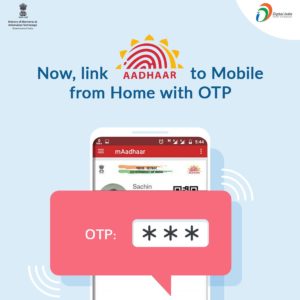
aadhaar mobile link

How to link your Aadhaar to your mobile number from home? :

1 . Dial 14546 from your Mobile number to start hearing the IVR
2 . Select the preferred language by pressing 1 or 2 or 3
3 . If your number is already linked, you will be notified or Follow the instructions
4 . You will be asked to enter your 12 digit Aadhar number. Enter it using the dial pad of your mobile phone and proceed
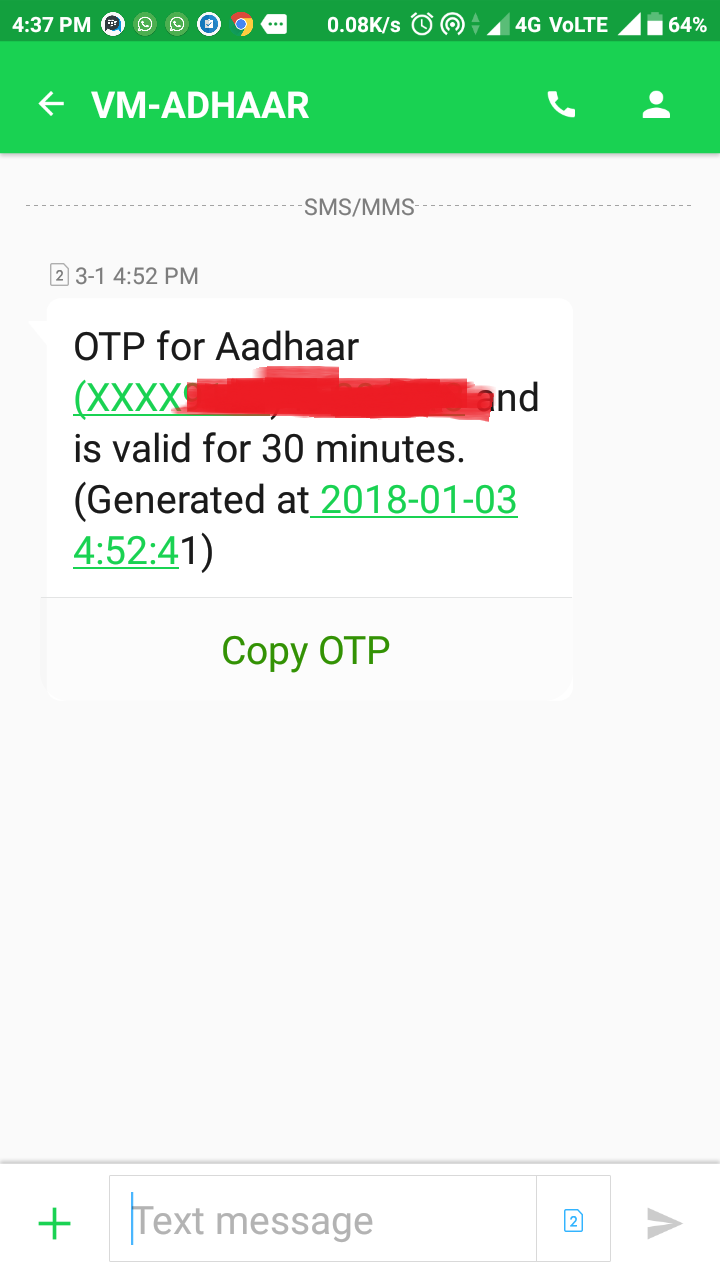
5 . Now you will receive an OTP to that particular mobile number which is valid only for 30 minutes and without disconnecting the call, enter the OTP you received
aadhaar otp
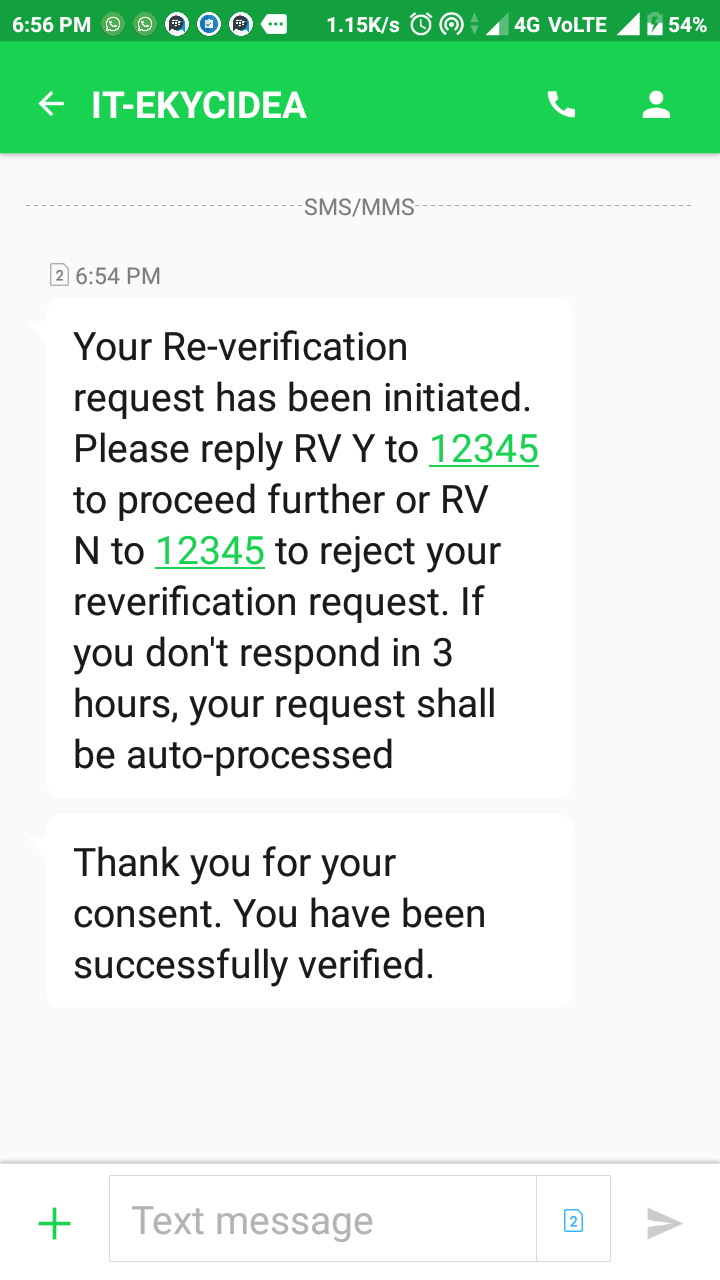
6 . Done !! Your Aadhaar and mobile number is almost linked. In 24 hours time you will receive an message to that particular mobile number to confirm.
aadharfinal
For BSNL customers :
1 . From your BSNL number, call to the toll free number 14546
2 . Select the desired language
3 . Enter the 12-digit Aadhaar number. The IVR will repeat the number you entered, and if that is correct press 1. In case you entered a wrong number, press 2 to re-enter the number
4 . A 6 digit OTP number will be sent to that particular number. Enter the OTP without disconnecting the call.
5 . Done !! In 48 hours it will be verified.
Official Source
Other important things related to Aadhaar :
  • How to get Original Aadhaar Card Anytime Anywhere?
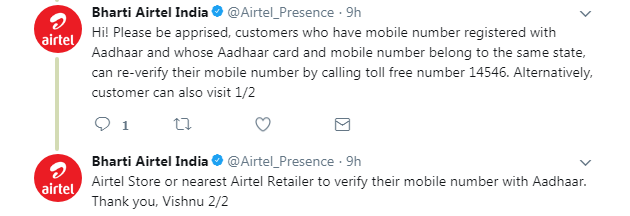
  • Even though UIDAI (Aadhaar) has issued directives for generating OTP either through the service provider’s website or through the Interactive Voice Response (IVR) services to facilitate the linking, few operators like JIO, Tata Docomo are yet to implement this feature. So kindly keep dialing 14546 frequently if your a subscriber of these Operators or contact the customer care.
Here are some of the replies from the Operators regarding this :
jio aadhaar
voda aadhaar
tata docomo aadhaar
airtel aadhaar
aircel aadhaar
idea aadhaar

For Amazon Quiz Answers
subscribe our channel. Deals Finder

Join WhatsApp Broadcast https://goo.gl/Jr75v3